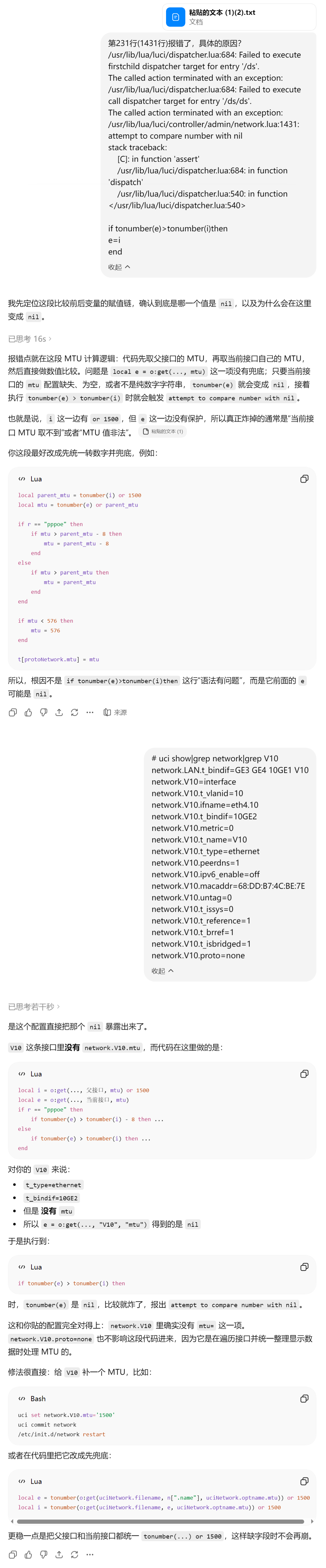
按这篇文章说的把 vlan 虚接口接入网桥后,路由器重启一次之后网页后台不正常,具体表现为首页系统状态下的快速显示(quick_show)无法加载,并且无法添加。接口设置中也无法查看添加了虚接口的那个物理接口(if_info),并且添加其他虚接口报错。并且网桥也无法编辑,都是 500 报错。
500 报错问题
报错统一为 attempt to compare number with nil
/usr/lib/lua/luci/dispatcher.lua:684: Failed to execute firstchild dispatcher target for entry '/ds'.
The called action terminated with an exception:
/usr/lib/lua/luci/dispatcher.lua:684: Failed to execute call dispatcher target for entry '/ds/ds'.
The called action terminated with an exception:
/usr/lib/lua/luci/controller/admin/network.lua:1431: attempt to compare number with nil
stack traceback:
    [C]: in function 'assert'
    /usr/lib/lua/luci/dispatcher.lua:684: in function 'dispatch'
    /usr/lib/lua/luci/dispatcher.lua:540: in function </usr/lib/lua/luci/dispatcher.lua:540>
故障点
问题出在 network.lua 的 1431 行,也就是 get_interface_config 方法,格式化后的代码可以在这里查看
            local i = o:get(uciNetwork.filename, e, uciNetwork.optname.mtu) or 1500
            local e = o:get(uciNetwork.filename, n[".name"], uciNetwork.optname.mtu)
            if r == "pppoe" then
                if tonumber(e) > tonumber(i) - 8 then
                    e = tonumber(i) - 8
                end
            else
                if tonumber(e) > tonumber(i) then
                    e = i
                end
            end
这里是在尝试读取接口的 MTU 值,tonumber(e) > tonumber(i),但此时 e 为 nil。
验证
登录 telnet,输入 uci show|grep network|grep V10 V10 换成你的虚接口名字。
root@TP-LINK:/usr/lib/lua/luci# uci show|grep network|grep V10
network.LAN.t_bindif=GE3 GE4 10GE1 V10
network.V10=interface
network.V10.t_vlanid=10
network.V10.ifname=eth4.10
network.V10.t_bindif=10GE2
network.V10.metric=0
network.V10.t_name=V10
network.V10.t_type=ethernet
network.V10.peerdns=1
network.V10.ipv6_enable=off
network.V10.macaddr=68:DD:B7:4C:BE:7E
network.V10.untag=0
network.V10.t_issys=0
network.V10.t_reference=1
network.V10.t_brref=1
network.V10.t_isbridged=1
network.V10.proto=none
root@TP-LINK:/usr/lib/lua/luci#
可以看到确实没有 MTU 字段。
修复
输入 uci set network.V10.mtu='1500' V10 换成你的虚接口名字。
再 uci commit network 提交。
root@TP-LINK:~# uci set network.V10.mtu='1500'
root@TP-LINK:~# uci commit network
root@TP-LINK:~#
此时后台网页恢复正常。但仍不建议编辑其他接口。
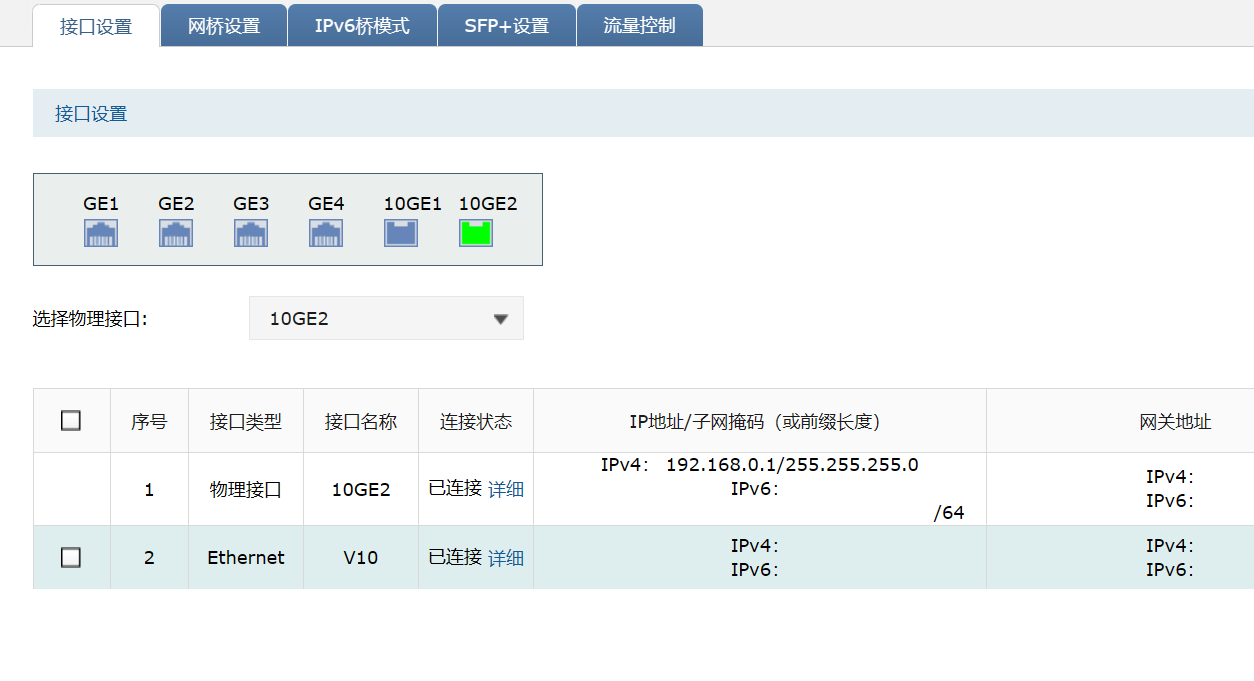
吐槽
明明 i 做了防空值,但 e 却没做,何意味??/
彩蛋